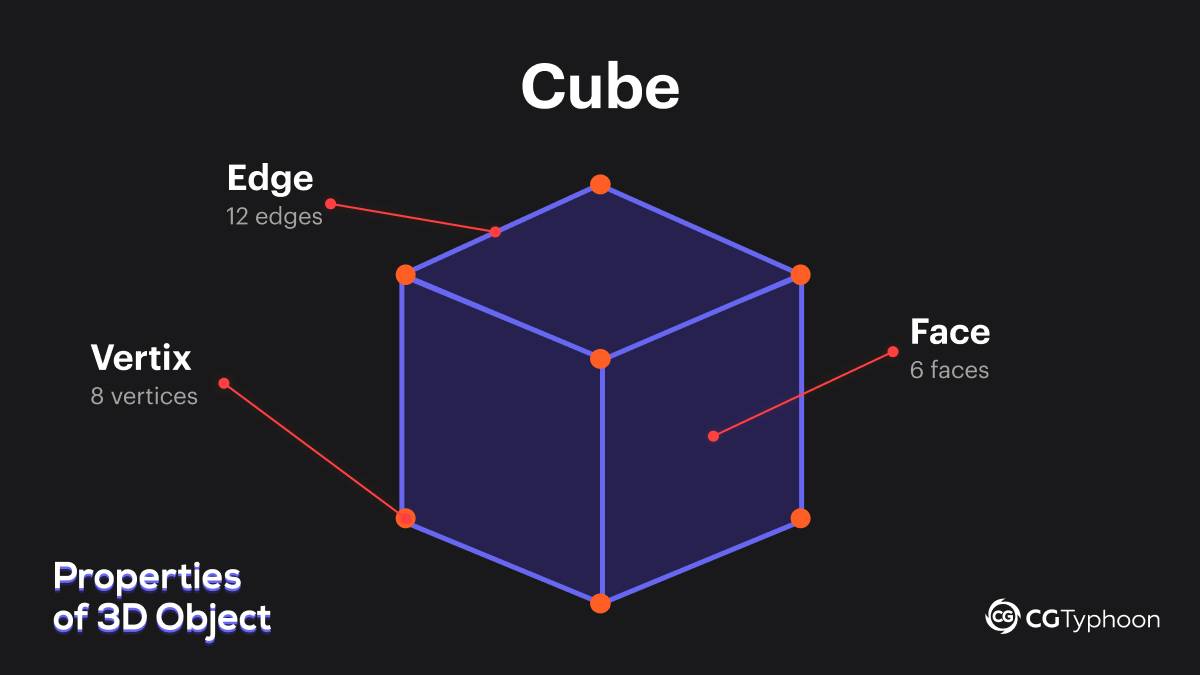
Vertices, edges, and faces are the fundamental building blocks of any 3D object.
A vertex is a point in space, an edge is a line connecting two vertices,
and a face is a surface formed by enclosed edges.
In 3D modeling, quadrilateral faces (quads) are used most often because they provide clean topology, smooth deformation for animation, and predictable subdivision.
Intro
Getting started with 3D modeling often feels like learning a new language. You open Blender or another 3D application, see an unfamiliar interface, create your first default object, and switch to Edit Mode. Suddenly, you are surrounded by points, lines, and surfaces. It’s easy to feel overwhelmed by technical terms, but mastering the basics is the foundation on which real skill is built. Every 3D model you see in films or games is made up of just three core elements: vertices, edges, and faces.
In this guide, we’ll break down these concepts step by step, explain how they work together, and share practical tips that will help you create clean, professional-quality 3D models.
What Are Vertices, Edges, and Faces in a 3D Object?
Every 3D object we create is usually referred to as a polygonal mesh, or simply a mesh.
A mesh is a structure made up of individual polygons connected to one another. To understand how a mesh works, you can think of it like a construction set, where each element has a specific role and place within the overall structure.
Vertices — Points in 3D Space
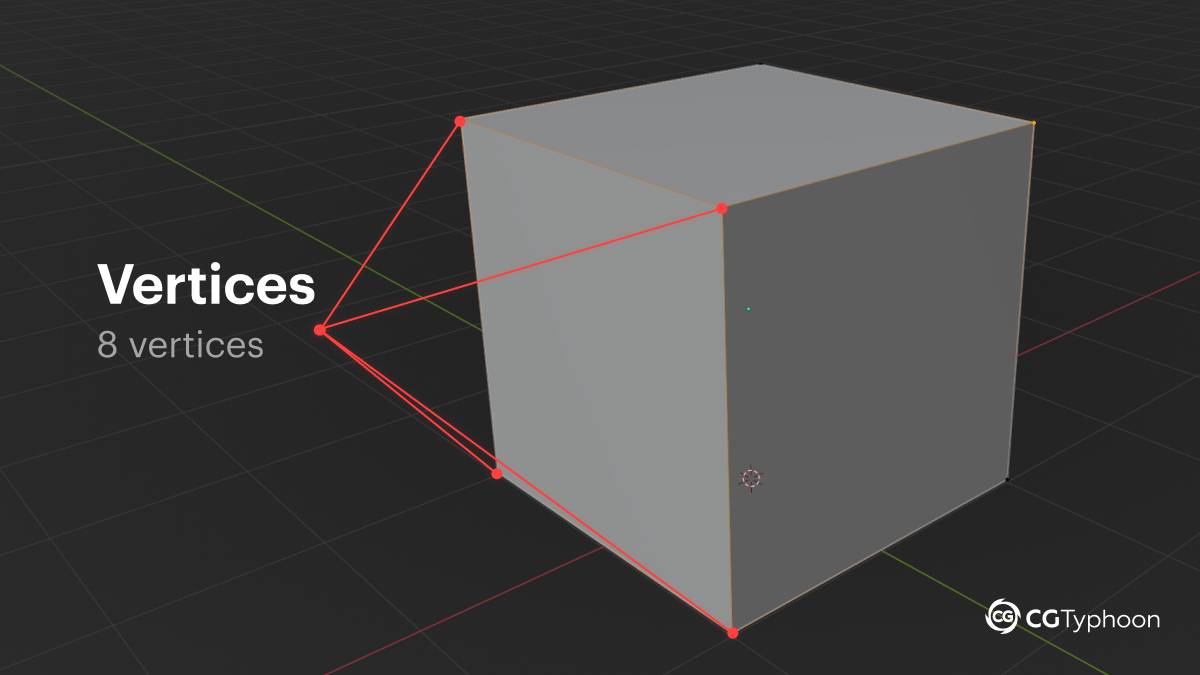
A vertex is the simplest element in 3D modeling. It is a single point located in three-dimensional space. Each vertex has its own coordinates (X, Y, Z), which define its position in the digital environment.
Key facts about vertices:
- Terminology: The word vertices is the plural form of vertex.
- Location: In geometry, vertices are usually found at corners or outer points of a shape. For example, a standard cube has 8 vertices.
- Function: Vertices connect edges within a model. When two or more lines meet at a single point, that point is called a vertex.
Interestingly, from the perspective of classical mathematics, a circle has no vertices because it consists of a single continuous curve without sharp corners.
In 3D modeling, however, a circle is always an approximation—it is made up of multiple vertices connected by edges. The number of these edges directly affects how smooth the object’s silhouette appears.We explore this concept in more detail in the article “Basic Geometric Shapes in 3D Modeling.”
Edges — Lines That Connect Vertices
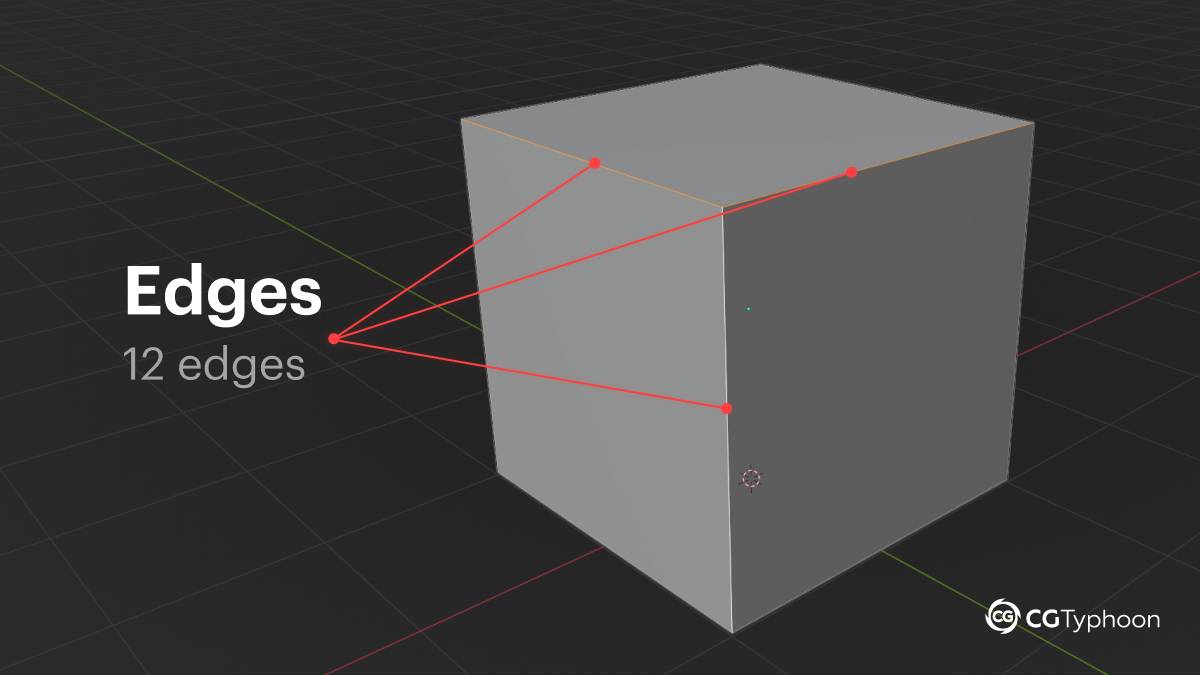
When two vertices are connected, they form an edge. An edge is a straight line that defines the boundaries of a 3D object and helps shape its geometry.
In 3D modeling, the term edge is used instead of the more common word side to avoid confusion, since in three-dimensional space a “side” could refer either to a line or to an entire surface.
Key properties of edges:
- Model framework: Together with vertices, edges form the object’s underlying “skeleton” or scaffold, allowing artists to see and edit the structure while working in a 3D editor.
- Count: For example, a standard cube has 12 edges.
- Connection: Every edge is always positioned between two vertices and is shared by two faces.
It’s important to remember that during final rendering, edges and vertices themselves are not visible—the viewer only sees the faces, which we’ll look at next.
Faces — Visible Surfaces and Polygons
A face, also commonly referred to as a polygon, is a surface created by a closed loop of edges. Faces are what make a 3D object visually solid and “material” to the viewer.
How a face is created
To form a face, you need to:
- Have at least three vertices (yes – three, not only four, edges can be used to create a face.);
- connect those vertices with edges in a closed loop;
- fill the space inside that loop to create a surface.
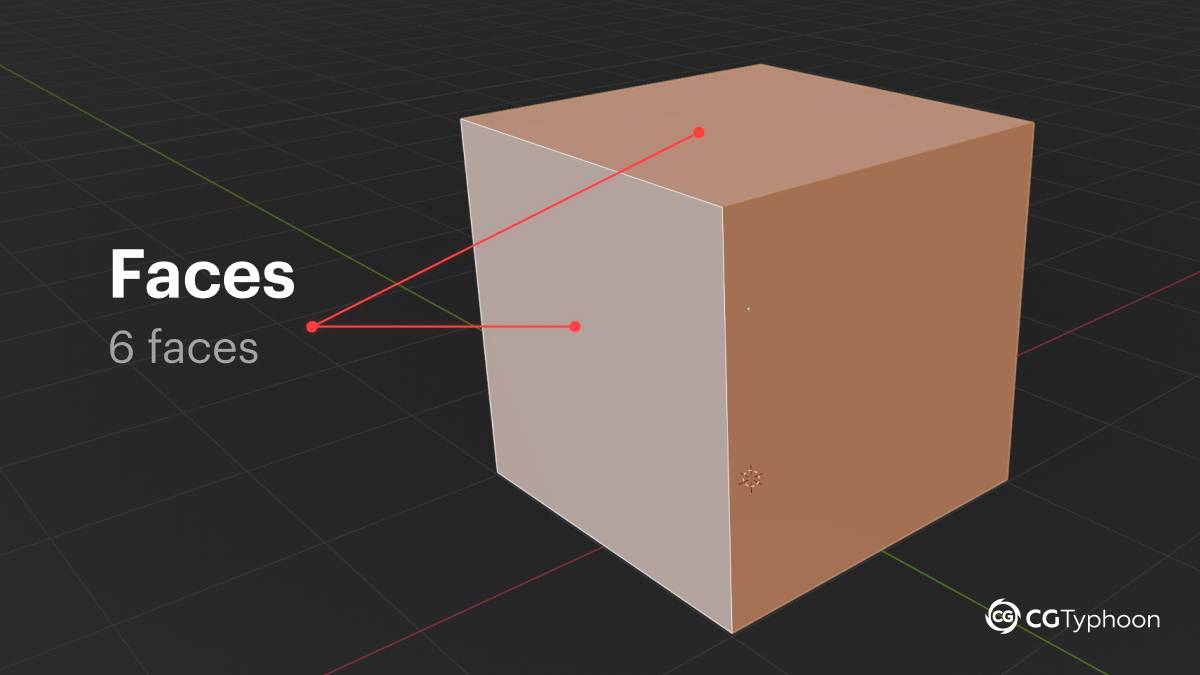
For example, the surface of a standard cube consists of six faces. Faces are where light is reflected, materials are applied, and textures are mapped during rendering.
While modeling, you may encounter not only quadrilateral polygons (quads) but also triangles, each of which has its own specific use cases and characteristics.
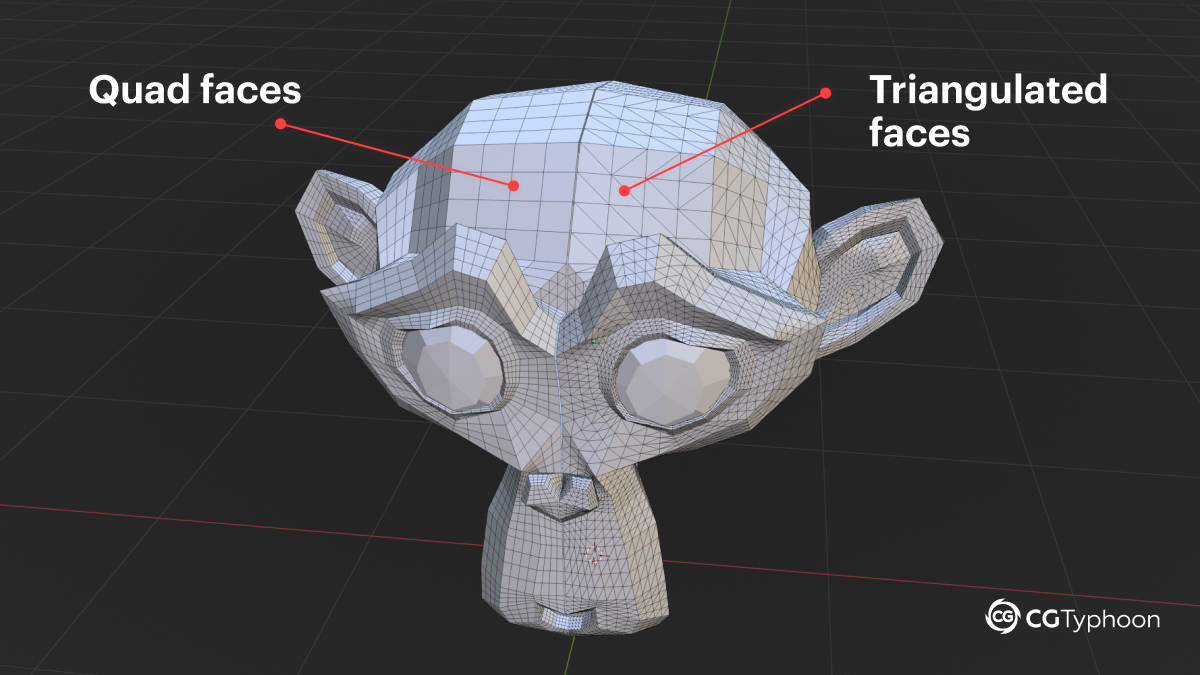
Quads and Triangles: What’s the Difference?
Quadrilateral faces (quads) are considered the standard in 3D modeling because they offer several important advantages:
How a face is created
To form a face, you need to:
- Four vertices make it easy to create and edit edge loops and edge rings, which are essential for clean topology.
- They provide smooth and predictable subdivision, resulting in cleaner surfaces when adding detail.
- Quads are better suited for animation, especially in areas where joints and meshes need to deform naturally.
- They simplify UV unwrapping and make models easier to adjust and refine later.
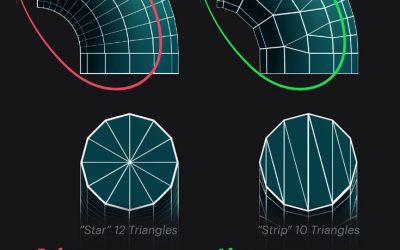
Triangles, on the other hand, often disrupt the edge flow of a mesh. During subdivision or animation, they can introduce visual artifacts and unwanted distortions, which is why they are generally avoided during the modeling stage whenever possible.
Interesting fact
Although most models are created using quads, meshes are usually triangulated before export to game engines. The reason is simple: graphics cards (GPUs) and game engines technically render only triangles.
Even if you export a model made entirely of quads, the engine will automatically split each quad into two triangles during import. Experienced 3D artists prefer to handle triangulation manually so they have full control over how polygons are divided. This helps prevent unwanted shading issues, visual artifacts, and silhouette distortions in the final render.
Why Quadrilateral Faces (Quads) Are Especially Important in Blender (or other 3d modeling software)
Although a face can be a triangle (3 vertices) or an n-gon (more than 4 vertices), there is an unwritten rule in professional 3D modeling: whenever possible, use quadrilateral faces (quads).
Why this matters in practice
🔹 Clean deformation
Quads behave much better when a mesh bends or deforms. This is critical for character models and any objects that will be animated.
🔹 Proper topology
Meshes built from quads are easier to smooth, edit, and maintain throughout later stages of production.
🔹 Predictable results
Blender and rendering engines handle lighting and shading more consistently on evenly distributed quad-based meshes than on irregular triangle-heavy structures.
Of course, in complex or technically constrained areas, using triangles is sometimes unavoidable. However, experienced 3D artists recommend avoiding them in regions that deform heavily or remain in the camera’s focus.
Working with Meshes in Blender: Practical 3D Examples
Blender is one of the most popular tools for 3D modeling, where most objects are created from simple primitives such as a cube, plane, sphere, or cylinder. Each of these primitives is already a complete mesh made up of vertices, edges, and faces.
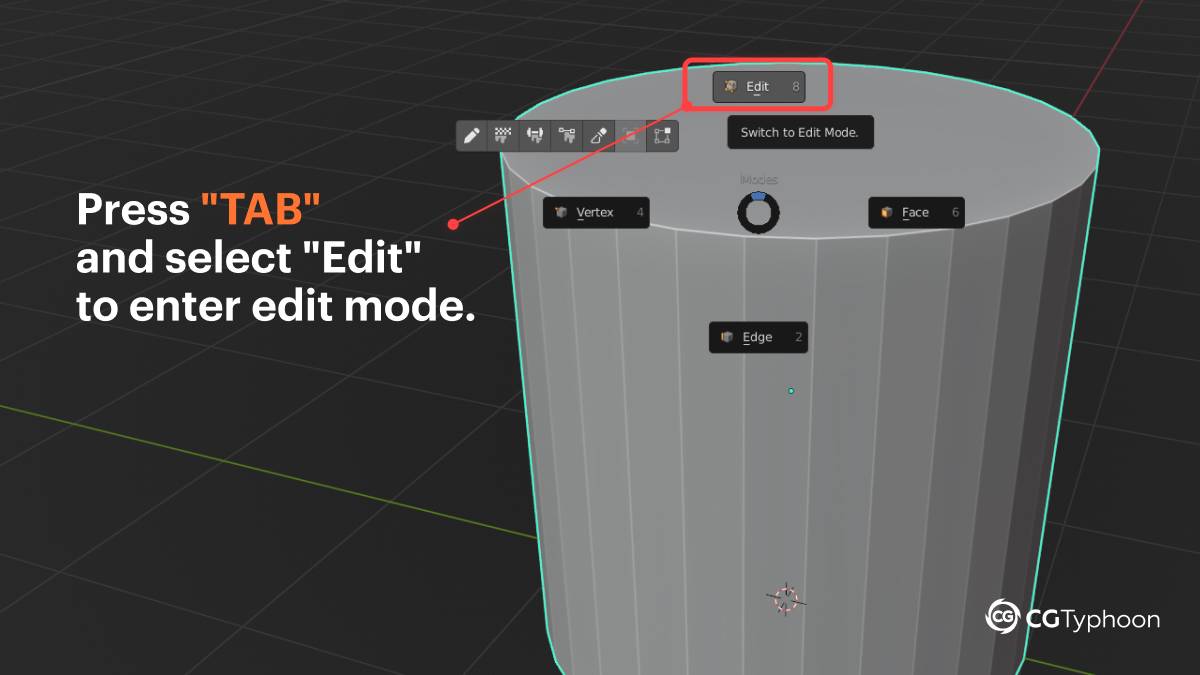
To work directly with these elements, Blender uses Edit Mode. You can enter Edit Mode by pressing the Tab key. This is where the actual geometry of an object is created and refined.
Core actions in Edit Mode (with examples)
In Edit Mode, you can:
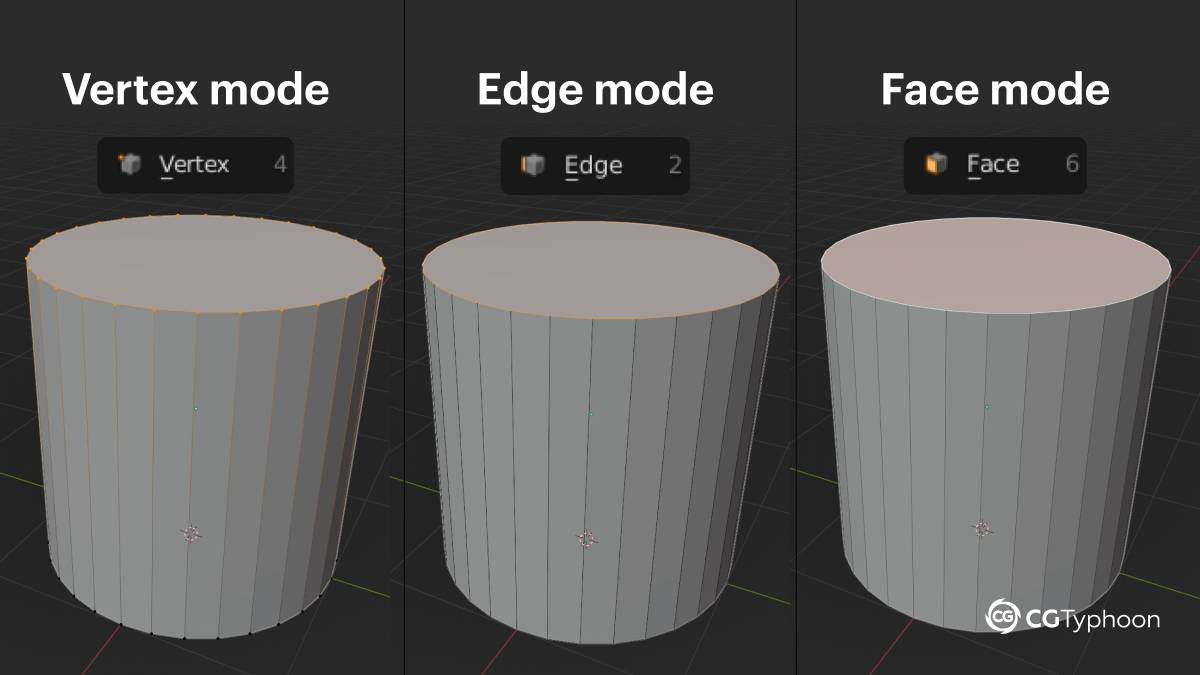
🔶 Switch between element types
Use Vertex Select, Edge Select, and Face Select modes to work with vertices, edges, or faces individually.
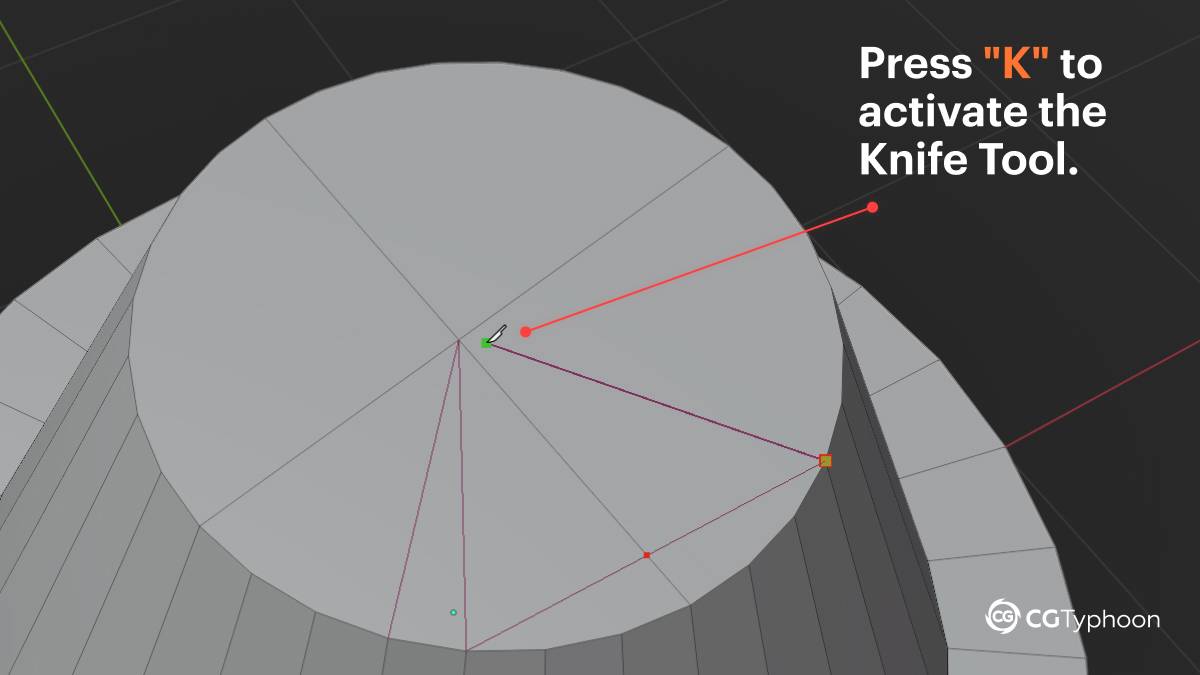
🔶 “Draw” new geometry using the Knife Tool
Press K (Knife Tool) to “draw” new edges by connecting two vertices or creating new ones.
Left-click to start cutting, click again to create additional points, and press Enter to finalize the cut.
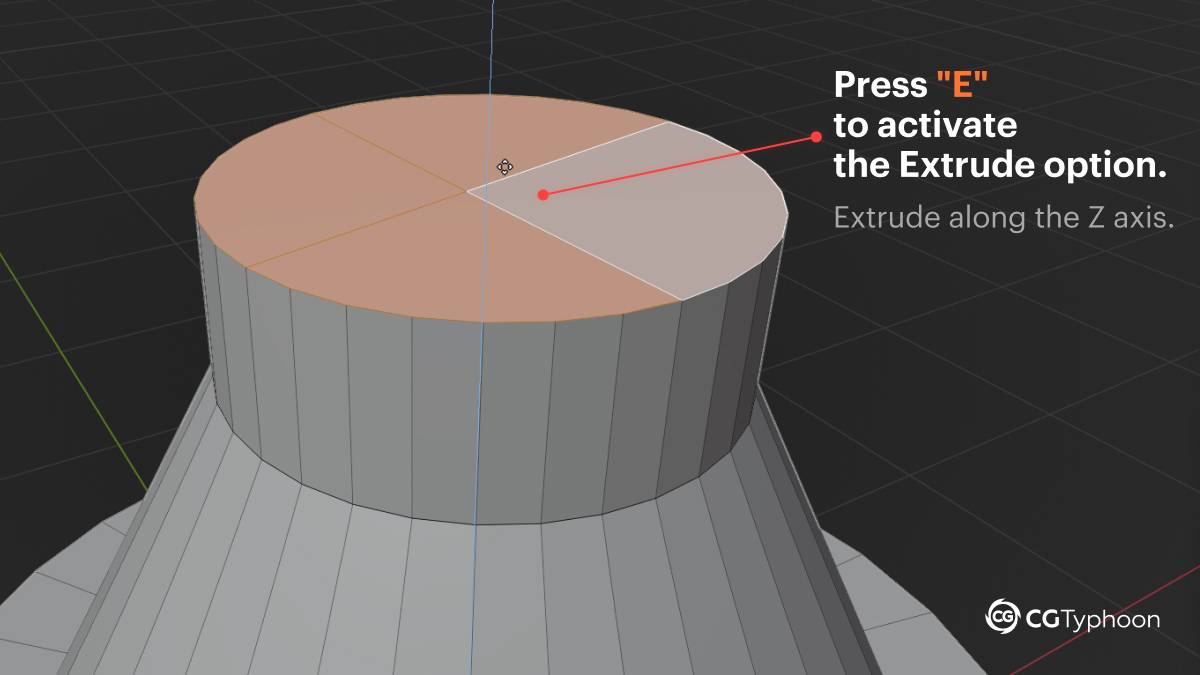
🔶 Extrude polygons, edges, vertices
To use the Extrude Tool, press E, move the selection (polygon, edge, or vertex) to the desired position, and click to confirm the extrusion.
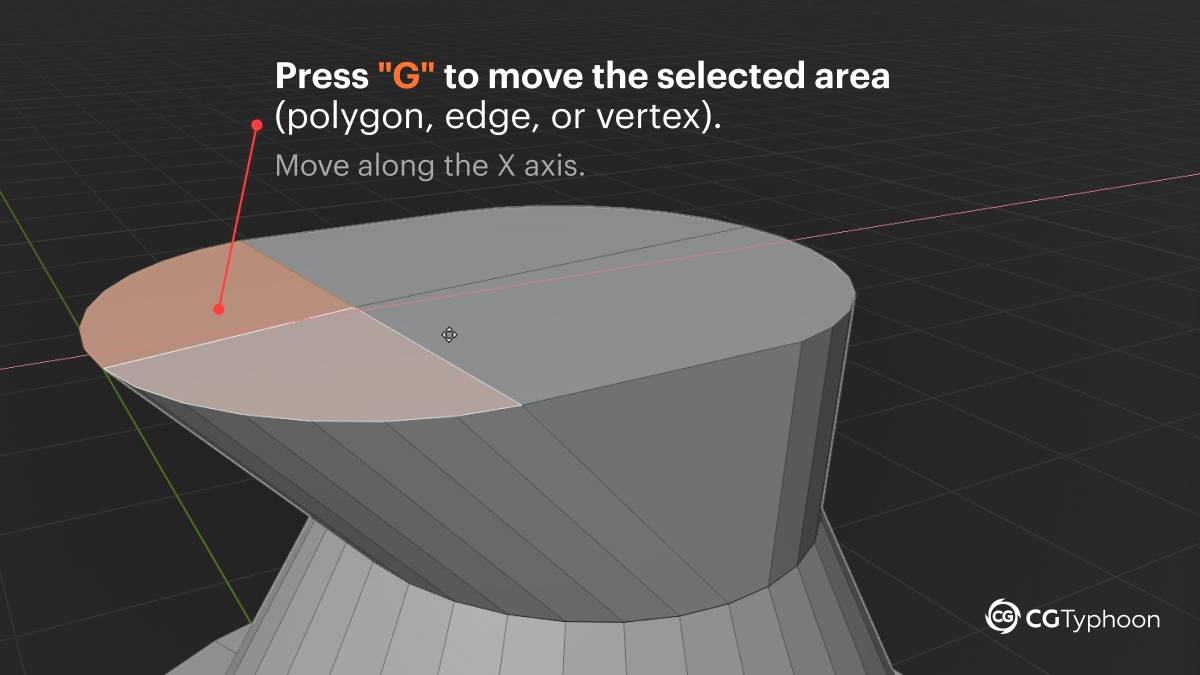
🔶 Move selected polygons, edges, vertices
To move selected polygons, edges, or vertices, press G, drag the selection to the desired position, and click to confirm.
Frequently Asked Questions (FAQ)
What are vertices, edges, and faces in 3D modeling?
Vertices, edges, and faces are the basic elements of a polygonal mesh. A vertex is a point in 3D space, an edge is a line connecting two vertices, and a face is a surface formed by enclosed edges.
Is there a difference between a face and a polygon?
In 3D modeling, these terms are often used interchangeably. A face is a surface bounded by edges, which technically makes it a polygon.
How many vertices, edges, and faces does a cube have?
A standard cube has 8 vertices, 12 edges, and 6 faces. It is one of the simplest examples of a polygonal 3D object.
Why are quadrilateral faces (quads) preferred in 3D modeling?
Quads provide clean topology, deform more naturally during animation, simplify UV unwrapping, and produce more predictable subdivision results compared to triangles.
Why are models triangulated before export to game engines?
Game engines and GPUs technically render only triangles. For this reason, meshes are converted into triangles to ensure correct rendering and full control over polygon shape and shading.
Where can I see the number of vertices, edges, and faces in Blender?
In Blender, you can view the number of vertices, edges, and faces by enabling Overlay → Statistics in the 3D Viewport. Blender automatically displays up-to-date statistics for the selected object.
Vertices, edges, and faces are the fundamental building blocks of any 3D object.
A vertex is a point in space, an edge is a line connecting two vertices,
and a face is a surface formed by enclosed edges.
In 3D modeling, quadrilateral faces (quads) are used most often because they provide clean topology, smooth deformation for animation, and predictable subdivision.
Summary
Vertices, edges, and faces are the foundation of all 3D modeling. Vertices define points in space, edges form the structure of an object, and faces create the visible surfaces that interact with materials, lighting, and textures. Understanding how these elements work together allows you not only to navigate Blender’s interface with confidence, but also to consciously control a model’s topology.
Using quadrilateral faces, maintaining clean edge loops, and understanding why meshes are triangulated before export are core skills that separate beginners from professional 3D artists. By starting with simple primitives and gradually refining geometry, you build a solid foundation for creating high-quality models ready for animation, rendering, and use in game engines.